
Laptops are like the beloved pets of the tech world. They need care and attention to thrive, or they’ll end up sulking in a corner, refusing to connect to Wi-Fi. Keeping that sleek machine in top shape isn’t just about avoiding the dreaded blue screen of death; it’s about extending its lifespan and ensuring it runs smoother than a fresh jar of peanut butter.
Importance Of Laptop Care
Laptop care significantly impacts performance and longevity. Regular maintenance aids in preventing common issues, such as overheating and hardware failures. Keeping devices in good condition not only enhances usability but also maximizes productivity.
Proper cleaning removes dust and debris, ensuring components function smoothly. Implementing precautions, like using a surge protector, safeguards against electrical damage. Updating software consistently protects against vulnerabilities, maintaining security and efficiency.
Battery health benefits from proper charging practices. Frequent overcharging can degrade battery capacity over time. It’s crucial to calibrate batteries periodically to ensure accurate readings and optimal performance.
Additionally, careful handling prevents physical damage. Dropping a laptop can cause internal component issues. Using a padded case while traveling or storing a laptop properly minimizes risk.
Lastly, monitoring device performance helps identify potential problems early. Utilizing built-in diagnostics tools provides insights into hardware status. Addressing issues promptly contributes to a smoother user experience.
Caring for a laptop isn’t merely preventive; it’s an investment in its future. Regular attention leads to fewer unexpected repairs and a longer device lifespan. Prioritizing laptop care ensures it remains a reliable tool for countless tasks.
Basic Maintenance Tips
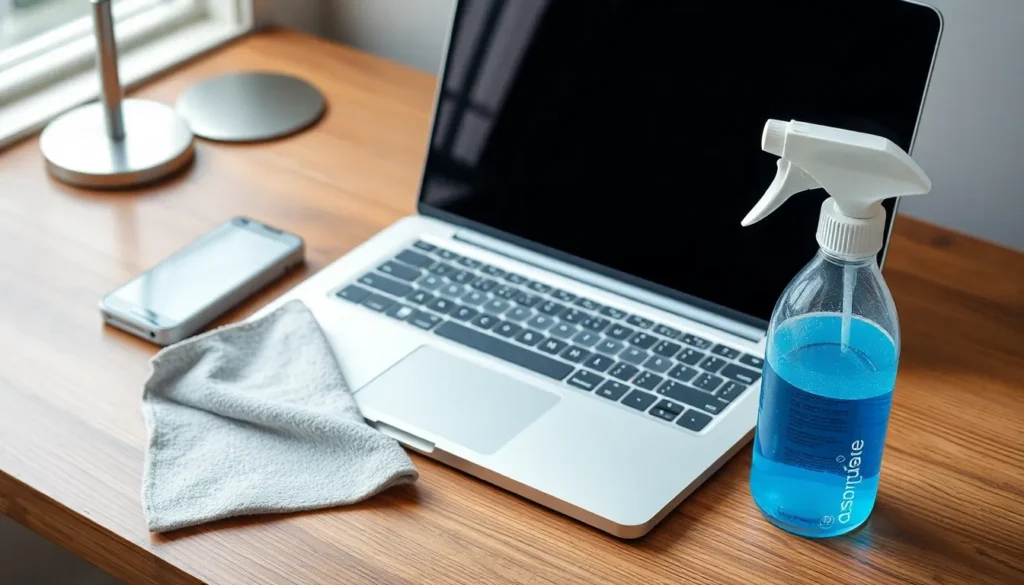
Regular maintenance keeps laptops functioning efficiently and enhances their longevity. Implementing simple care techniques can significantly improve performance.
Cleaning Your Laptop
Cleaning is essential for maintaining optimal laptop function. Use a microfiber cloth to gently wipe the screen, keyboard, and exterior surfaces. Avoid using ammonia-based cleaners; instead, opt for screen-safe solutions. Clean the vents to prevent overheating and ensure proper airflow. Check the keyboard for debris and crumbs, using compressed air for thorough cleaning. A regular cleaning schedule helps reduce buildup and deterioration.
Protecting Against Dust
Dust accumulation can obstruct vents and cause overheating. Keeping laptops in enclosed spaces increases susceptibility to dust. Use laptop stands with elevated designs to promote airflow. Regularly clean the surrounding area to minimize dust transfer. Employing dust covers when the laptop is not in use provides additional protection. Installing an air purifier can improve overall air quality and reduce dust in the environment.
Software Maintenance
Software maintenance is crucial for optimal laptop performance and longevity. Regular updates and security measures help prevent issues that may arise from outdated systems or malware.
Installing Updates
Keeping software up to date enhances performance and security. It addresses bugs, strengthens vulnerabilities, and improves functionality. Regularly checking for updates for the operating system and applications is necessary. Automated updates can simplify this process, ensuring no crucial updates are missed. Check for firmware updates for hardware components as well, as these can optimize device performance. Utilizing built-in update tools helps maintain an efficient, secure laptop environment.
Running Antivirus Scans
Antivirus scans protect laptops from malware and other security threats. Running these scans on a regular schedule minimizes risks associated with online activities. Choose reliable antivirus software that offers real-time protection, which detects threats as they occur. Conduct full-system scans periodically to catch any lurking malware that may evade real-time checks. Staying vigilant about security contributes significantly to maintaining overall laptop health and performance.
Best Practices For Battery Care
Maintaining battery health is vital for optimal laptop performance and longevity. Proper habits contribute to extended battery life and prevent premature deterioration.
Charging Habits
Charging a laptop correctly plays a key role in preserving battery health. Avoid letting the battery drop below 20 percent regularly, as deep discharges can strain the battery. Keeping it between 20 and 80 percent typically maximizes lifespan. Unplugging the charger when fully charged is important; continuous charging generates heat, which may harm the battery. Additionally, using the manufacturer’s charger ensures compatibility and efficiency. Positioning the laptop on a hard surface during charging improves airflow, helping to prevent overheating. Encouraging users to charge under moderate temperatures also contributes significantly to battery longevity.
Battery Calibration
Periodically calibrating the battery enhances its accuracy in reporting charge levels. Calibration involves charging the battery to 100 percent and then allowing it to discharge completely. This process helps the battery’s internal gauge learn its capacity more accurately. Conducting this calibration every few months is beneficial, particularly after prolonged periods of charging habits. An inaccurately calibrated battery may display incorrect information, leading to unexpected shutdowns. Users might find it helpful to inspect battery health through built-in diagnostic tools to determine the need for calibration. Fine-tuning these practices greatly improves both reliability and performance.
Handling And Storage Tips
Proper handling and storage significantly influence laptop longevity and performance. Adopting best practices for both transporting and storing devices ensures they remain in excellent condition.
Safe Transporting
Always use a protective case when moving a laptop. Cushioning reduces the risk of physical damage from impacts. When carrying a laptop, hold it securely with both hands to prevent drops. Additionally, keep electronics away from extreme temperatures, as heat can damage internal components. Avoid placing heavy items on top of the laptop in bags, as weight can create unnecessary pressure. While traveling, consider stowing the laptop in overhead compartments or under seats to limit motion during transportation.
Appropriate Storage Conditions
Maintain a cool, dry environment for laptop storage. Humidity can lead to internal corrosion, impacting components. Avoid direct sunlight, as prolonged exposure can overheat devices. When not in use, unplug chargers to decrease potential risks associated with power surges. Use a dust cover to shield the laptop from dirt and debris, especially in cluttered areas. Store laptops on flat surfaces rather than soft spots, which can hinder airflow and create heat retention. Regularly check stored laptops for updates, ensuring they remain secure from vulnerabilities.
Taking proper care of a laptop is essential for maximizing its performance and lifespan. By implementing regular maintenance practices and being mindful of handling and storage, users can avoid common issues and ensure their device remains reliable.
Attention to battery health along with software updates plays a crucial role in maintaining optimal functionality. Simple actions like cleaning the laptop regularly and using protective gear can significantly enhance its durability.
Investing time in laptop care ultimately leads to fewer repairs and a smoother user experience. By treating laptops with the respect they deserve, users can enjoy their technology for years to come.